FEMStress Analysis
High-fidelity 3D structural simulation — simple to set up, powerful to scale, fully in the cloud. A modern, intuitive workflow that solves stresses, strains, and displacements directly from CAD.
Overview
Stress Analysis with FEA enables engineers to perform 3D structural simulations using a robust implicit finite element solver. Designed for engineers who need accurate results without steep learning curves — upload a CAD model, define material properties, assign boundary conditions, and run.
Direct CAD ingest
STL, STEP and IGES files import directly — no external meshing tools, no converters, no preprocessing software required.
Implicit 3D FEM
Production-grade implicit finite element solver on FEniCSx — suitable for static and quasi-static structural problems with isotropic materials.
Full result set
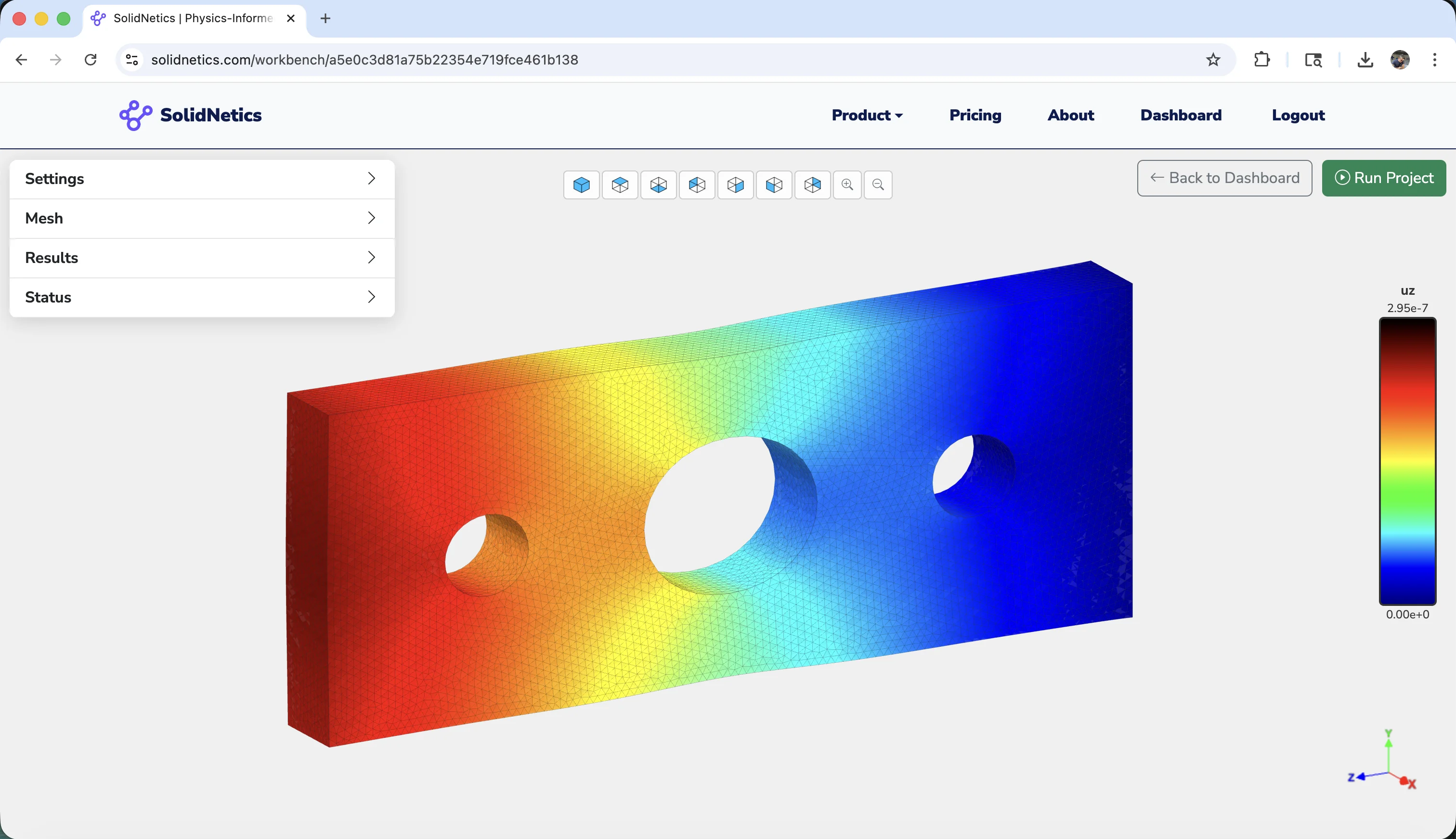
Displacement vectors, strain components, full stress tensor and Von Mises — visualised in 3D directly in the browser.
From CAD to result
Every step — meshing, solving, post-processing — happens transparently in the cloud. Your workstation stays free; the simulation runs on scalable backend instances.
Capabilities
Six features that define the FEA workflow on SolidNetics.
Direct CAD-to-simulation workflow
Import standard CAD file formats — no external meshing tools, converters, or preprocessing software required:
- STL · triangulated surface meshes
- STEP · boundary-representation solids (.step, .stp)
- IGES · vendor-neutral curves & surfaces (.iges, .igs)
Drop the file in, the rest of the pipeline is automatic.
Built-in 3D tetrahedral meshing
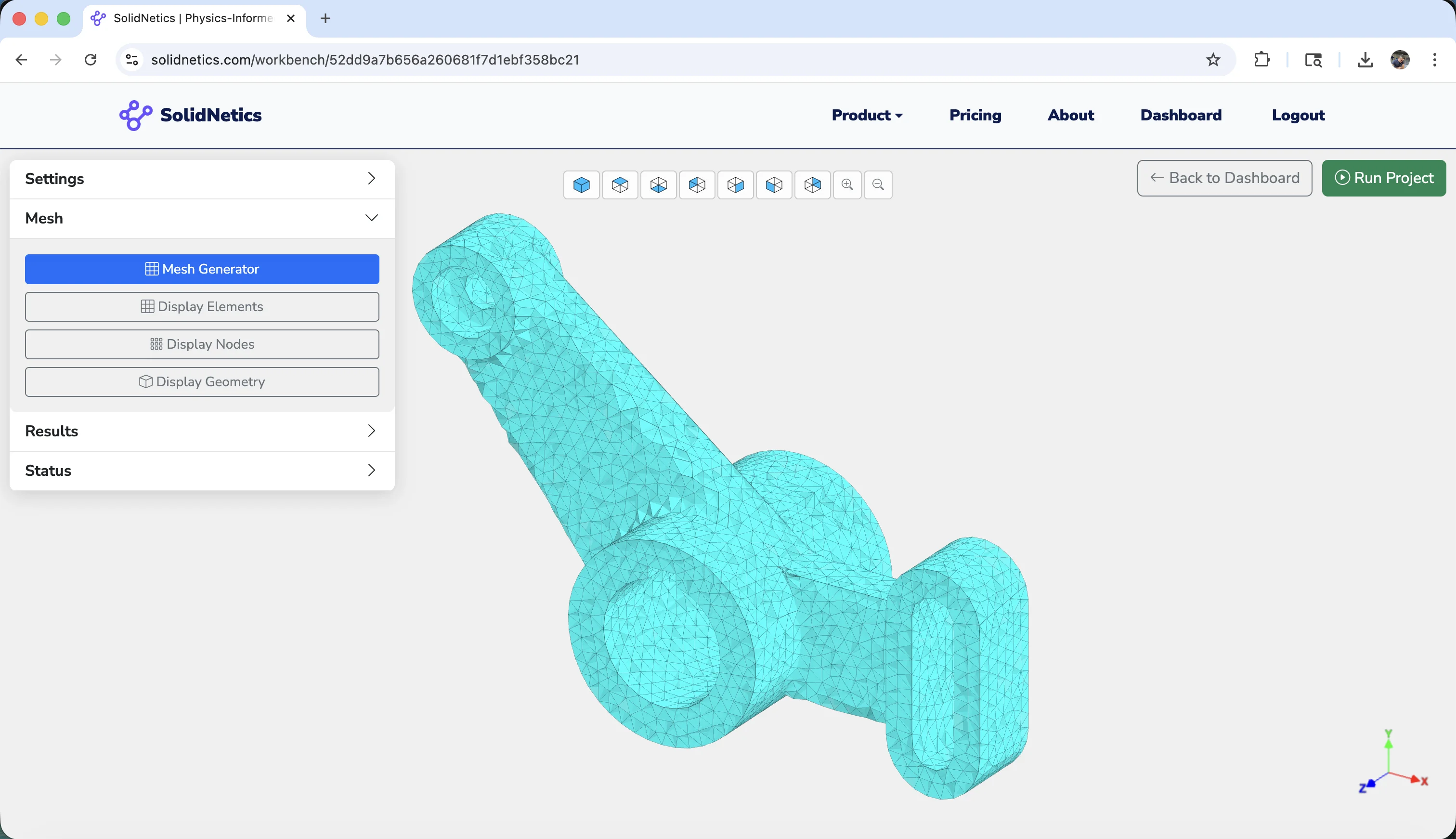
An integrated mesh generator handles the geometry — automatically:
- Automatic tetrahedral mesh creation
- Adjustable element size for refinement studies
- Clean handling of complex or intricate geometries
- Multi-body part support with shared interfaces
Mesh generation happens transparently in the cloud — ready-to-solve models in seconds.
Accurate linear elasticity solver
A fully implicit finite element solver, suitable for:
- Static and quasi-static structural problems
- Isotropic material models
- Stress distributions, strains, displacements
- Stiffness and deformation under mechanical loads
Orthotropic materials, nonlinear models, and plasticity coming soon.
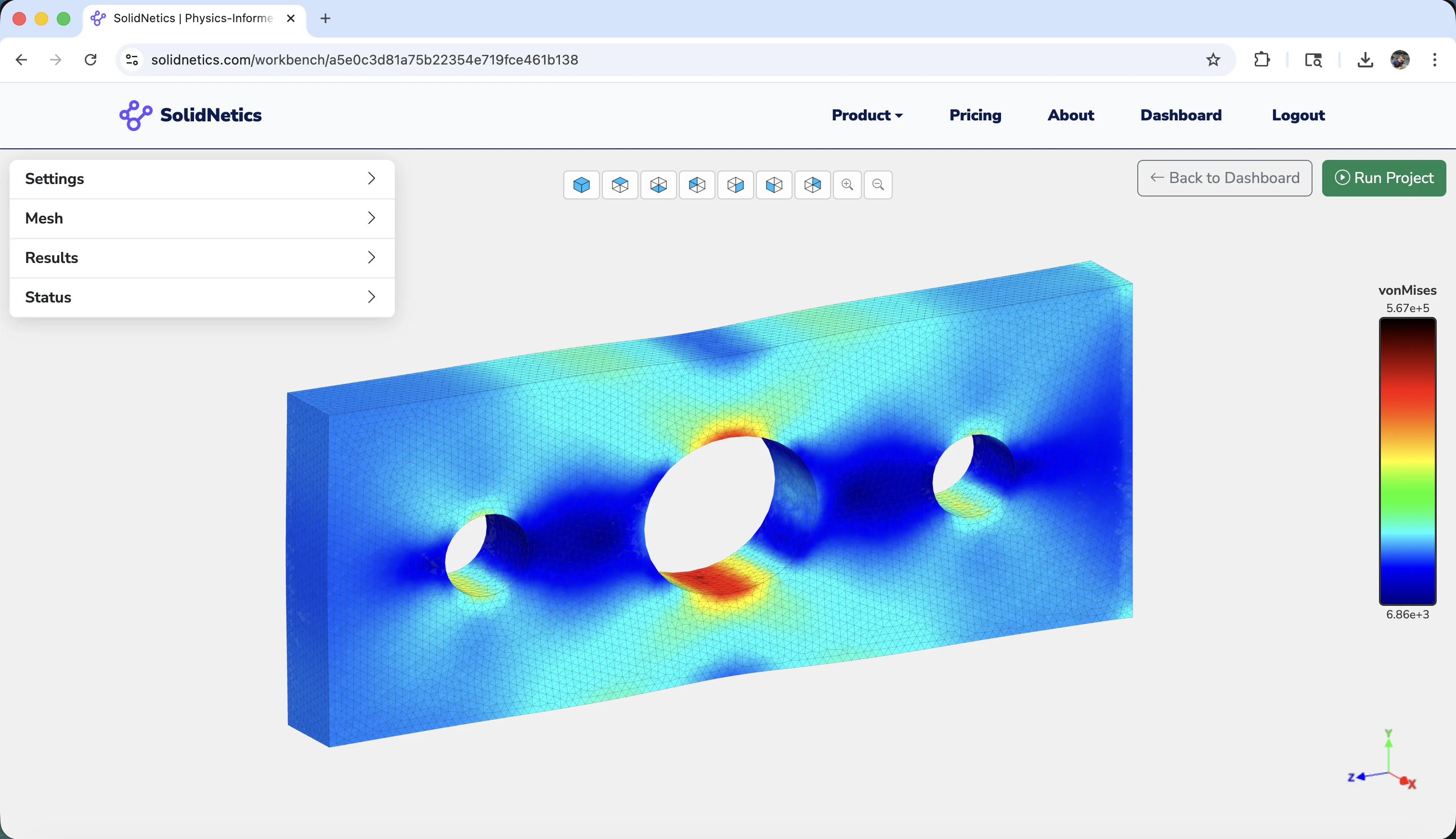
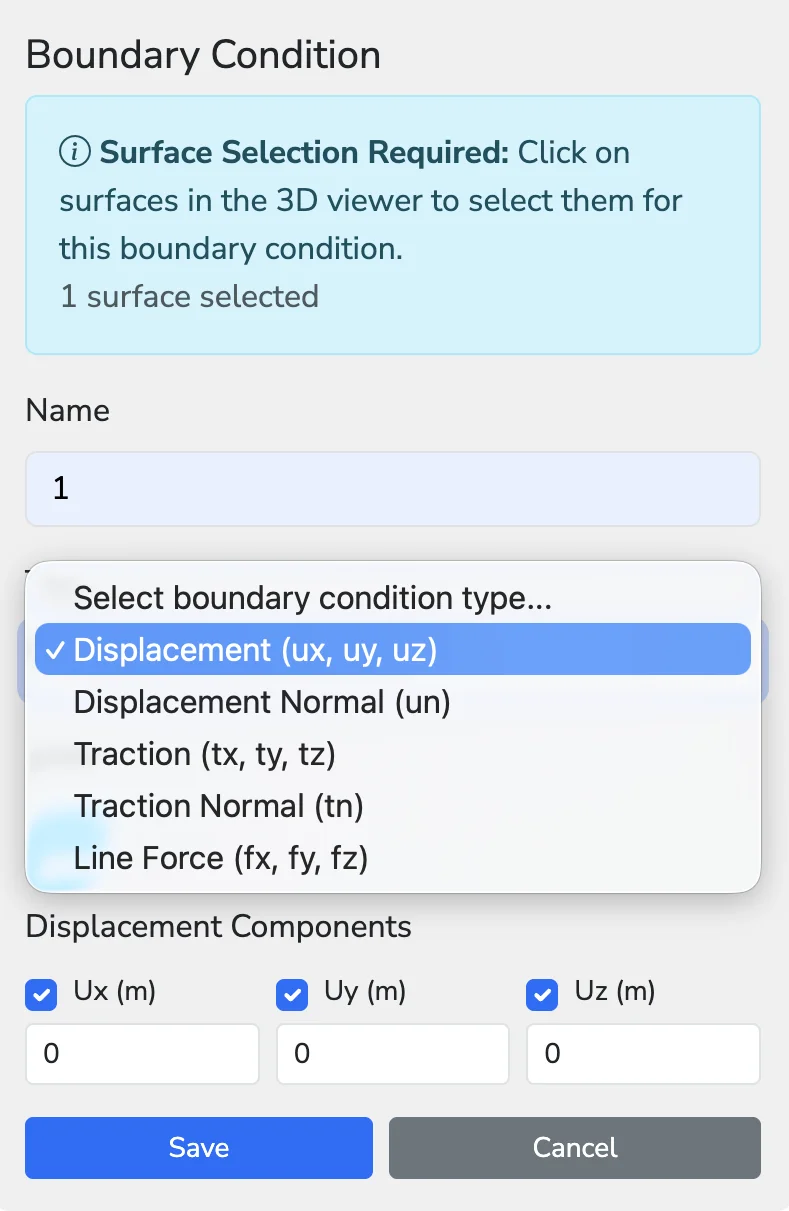
Flexible boundary conditions
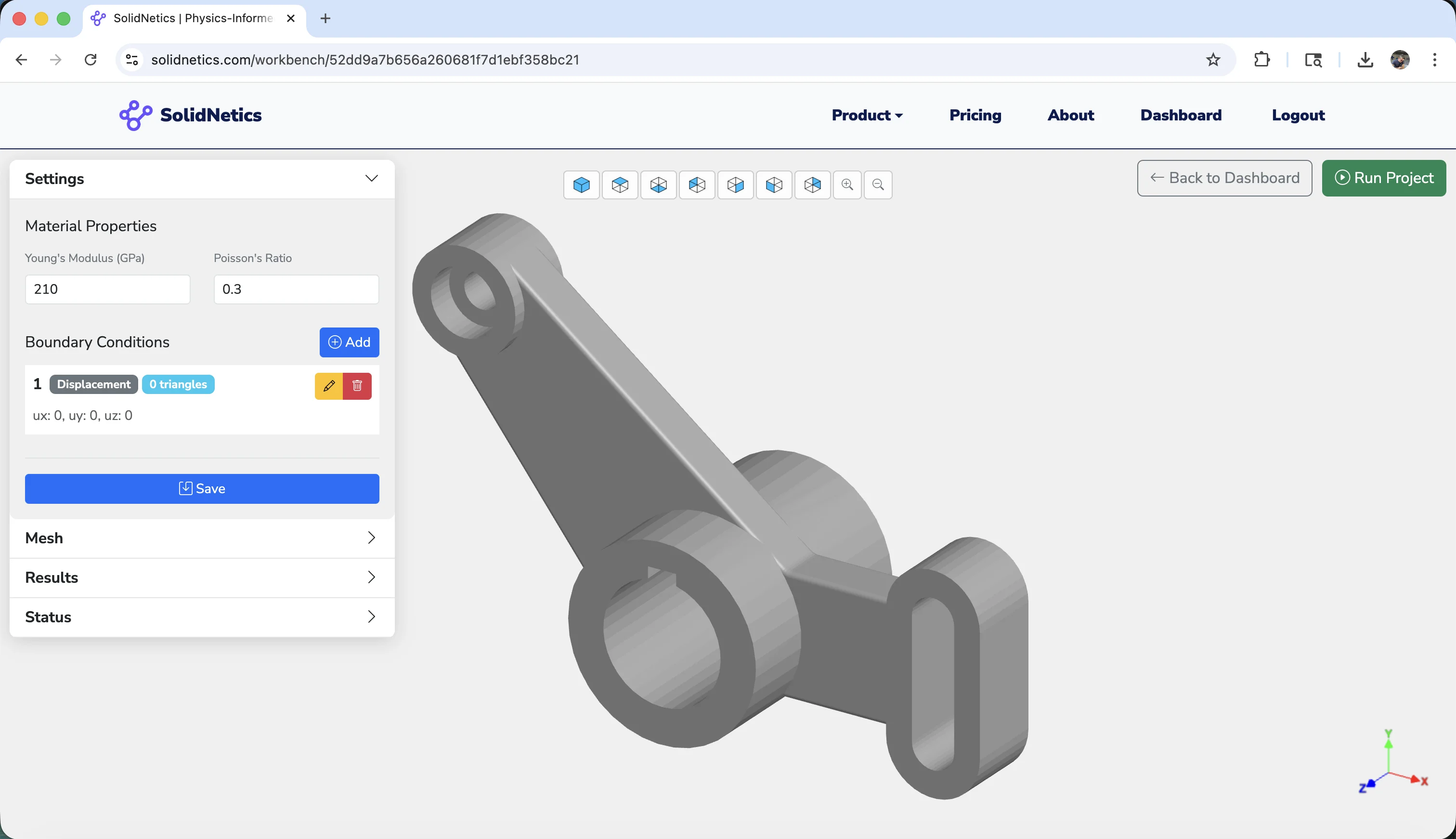
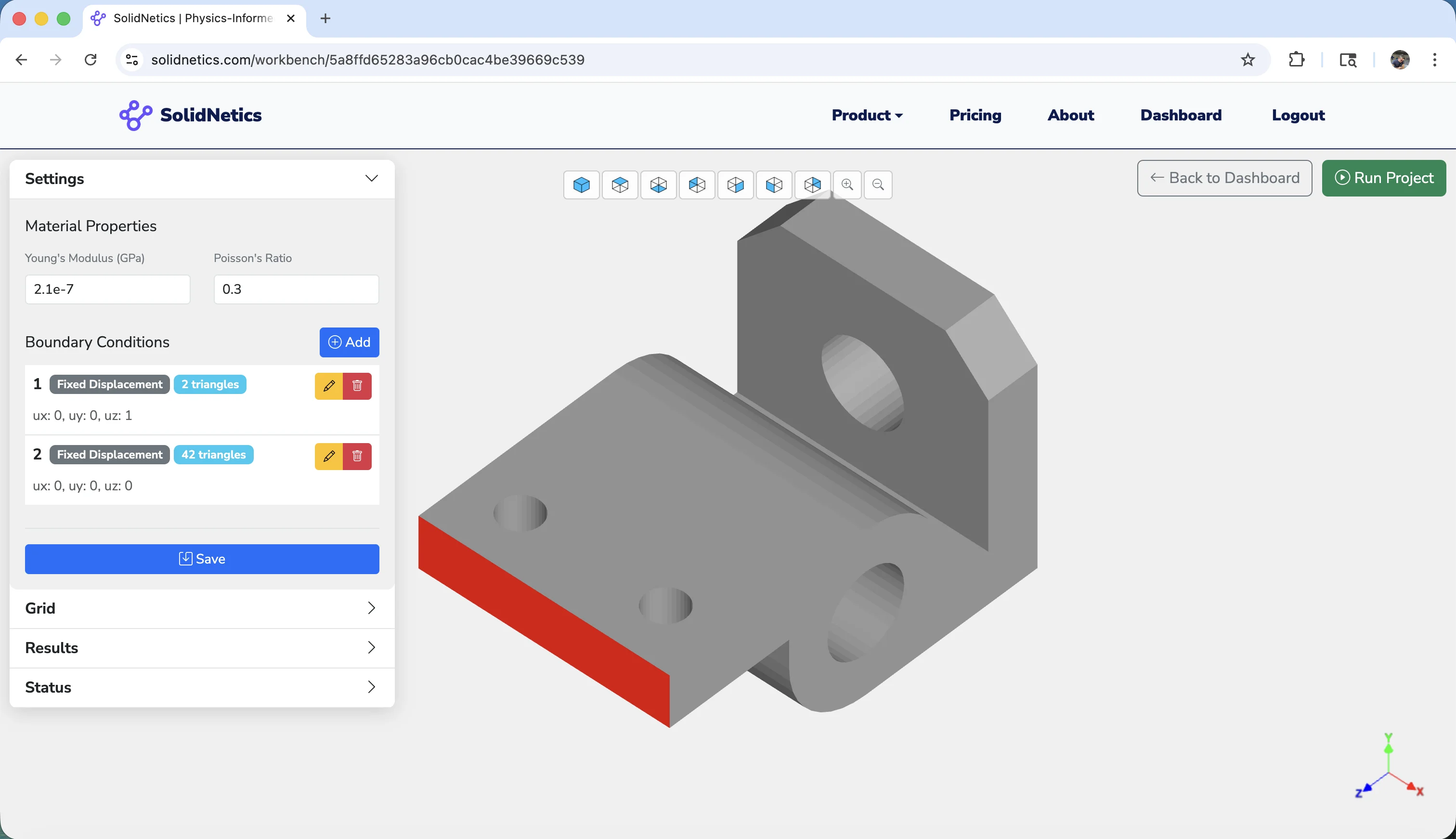
Assign constraints directly on CAD surfaces and edges — visual and intuitive:
- Displacement · fixed, prescribed, symmetry
- Traction / pressure loads on surfaces
- Line loads applied to edges
- Lumped forces at vertices
- Automatic normal detection for traction direction
No manual node selection — point and click on the geometry.
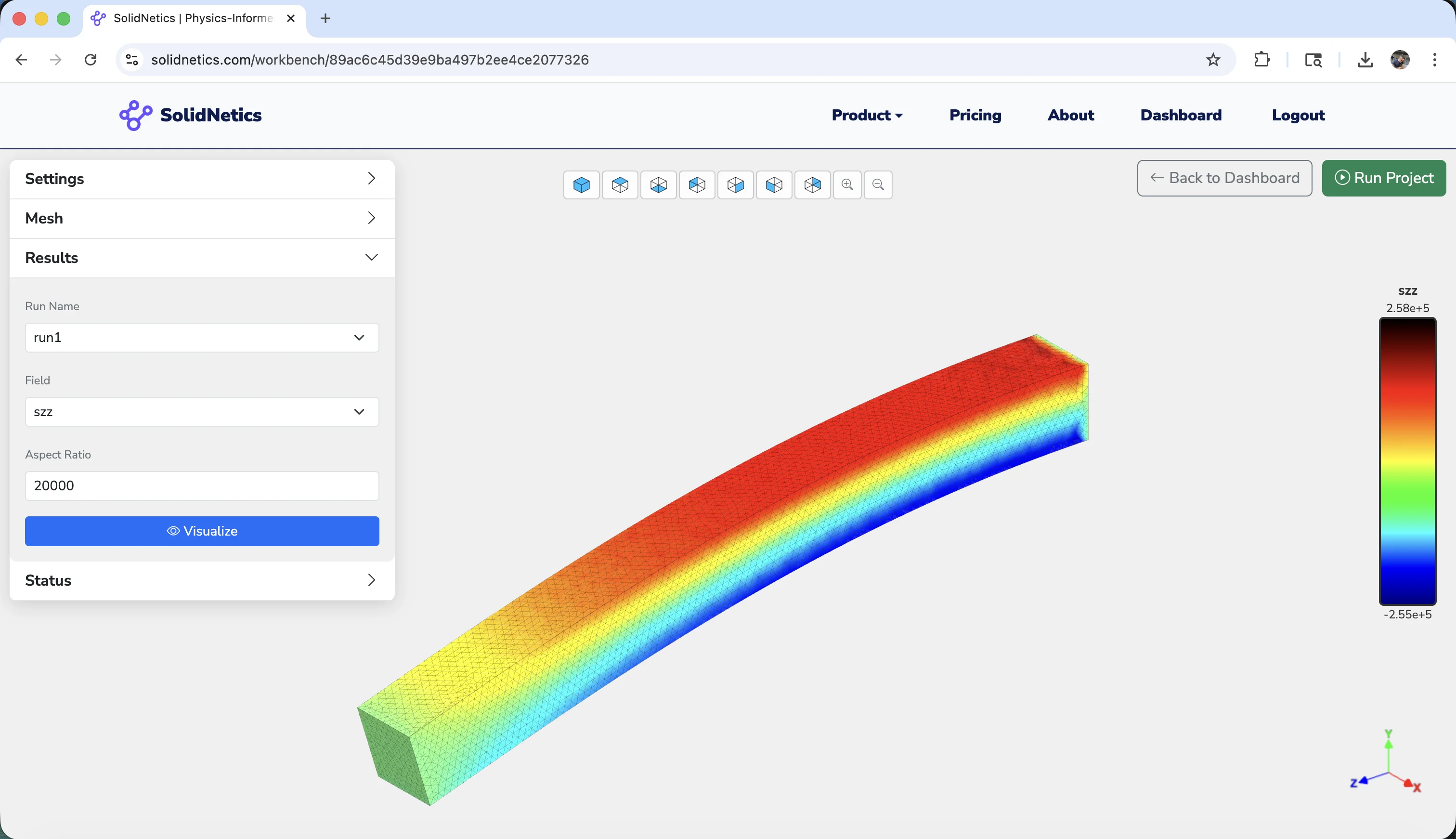
3D post-processing in the cloud
High-quality visualisations instantly — no heavy GPU or graphics requirements on your machine:
- Displacement fields (ux, uy, uz, magnitude)
- Strain components and invariants
- Stress fields — full tensor or Von Mises
- Scaled deformation plots & color maps
- Screenshot & visualisation export
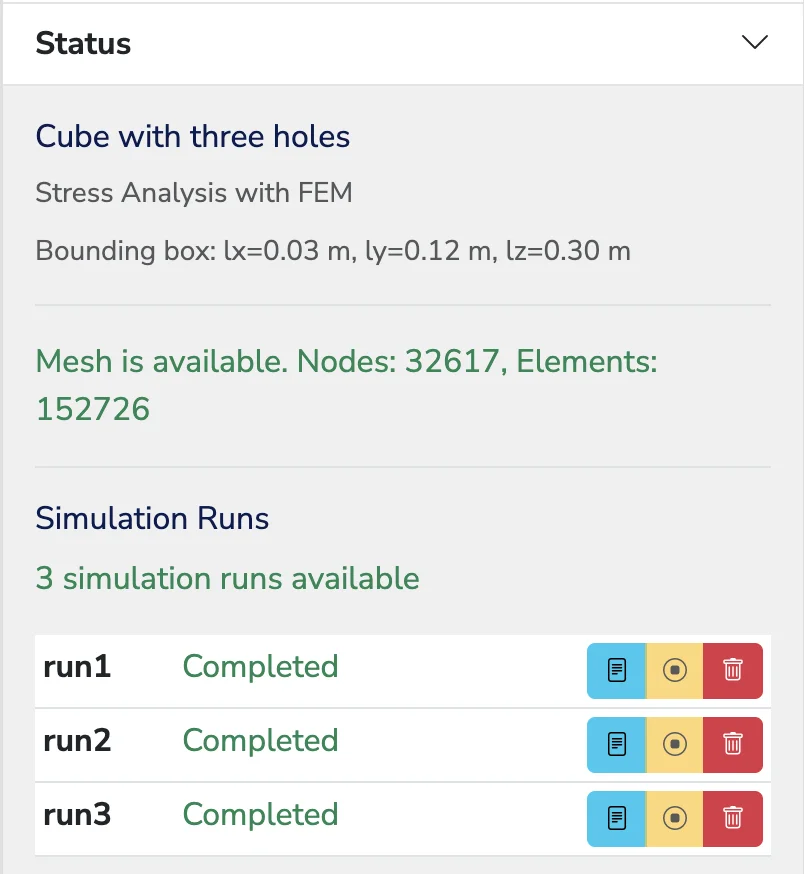
Multi-run project workflow
Each project can contain multiple simulation runs:
- Different load cases
- Mesh refinements
- Design variants
- Status dashboard with progress, compute time, queue position
Experiment freely without overwriting previous results.
Why cloud-based FEA
No installation. No licensing servers. No workstation needed. Every simulation runs on SolidNetics cloud infrastructure — your personal computer stays free and fast.
Scalable compute power
Large models and fine meshes run on high-performance backend instances. Scale on demand.
Access from anywhere
Windows, Mac, Linux, tablets, even lightweight laptops. Your simulations and projects travel with you.
Always up to date
Software updates, new solvers, and enhancements roll out automatically — no patches, no version conflicts.
Designed for ease of use
A clean, intuitive interface — engineers become productive with minimal training.
Upload CAD & set boundaries
Drop in STL / STEP / IGES, assign material, click surfaces to apply boundary conditions.
Generate mesh in the cloud
Automatic tetrahedral mesh with adjustable element sizing. No manual setup.
Run & visualise online
Implicit FEM solve on cloud workers, results streamed back to your browser for 3D visualisation.
Applications
Ideal for evaluating structural performance, identifying stress concentrations, validating mechanical designs, and comparing load cases across a wide range of applications.
Try the new standard in simulation
Stop letting meshing and pre-processing slow you down. Switch to a smarter, cloud-based simulation tool designed for modern engineering.